Your Steps to THT 2026!

STEP 1: PREPARE YOUR POWERPOINT
- Must be a PPTX File.
- Include a 2nd slide disclosure (24 months of information).
- Use the THT slide template.
- Include a last slide summary/conclusion.
- Follow CME Presentation Guidelines.
-
PowerPoint in the .pptx only and formatted to 16:9 aspect ratio.
- Convert your Keynote file to PowerPoint (.pptx) and check formatting before uploading.
- Download THT 2026 templates for your slide background.
Ensure your presentation meets all presentation guidelines. Presentations found to not meet requirements will be contacted by CRF.
Required Disclosure
- You MUST have disclosure information in the second slide of your presentation. ACCME now requires 24 months of disclosure information.
- The presentation system does not create and insert a disclosure slide.
- Download the required template and select the relevant slide: Nothing to disclose OR you have disclosures.
Summary/Conclusion
- The last slide of your presentation should be a summary/conclusion slide.
- Your last slide must not be a hidden slide. Because of PowerPoint programming, your last slide may be shown even if hidden.

STEP 2: UPLOAD YOUR PRESENTATION
Early upload (72 hours prior) is necessary to screen for technical issues that may create problems during presentations. Failure to comply with the 72-hour deadline will jeopardize the session’s CME accreditation.
- Enter your email address and password.
- First time? Click “Forgot your password?” to create a password.
- Use the email that received the communication to upload/the primary email in the CRF Faculty system.
- Select the talk you would like to upload for and upload the correct PPTX file.
- Check that the correct file appears in the correct presentation slot.
*Use the following browsers: Google Chrome, Firefox, or Safari. If you do not have access to one of these browsers, please send Encore your presentation via email or an online storage service such as Dropbox or Box, and they will upload the files for you. You must include talk title, date, time, presenter, etc.

STEP 3: JOIN US ON-SITE
- Check your PPT in Speaker Ready.
- Arrive at the room prior to your session.
- Present.
- Enjoy THT 2026.
|
Location | Hours |
||
|
Room: |
||
|
Sunday, March 1 |
4:00 PM – 6:00 PM |
|
|
Monday, March 2 |
5:45 AM – 7:00 PM |
|
|
Tuesday, March 3 |
6:00 AM – 7:00 PM |
|
|
Wednesday, March 4 |
6:00 AM – 12:00 PM |
|
Hours are subject to change. Last admission is 30 minutes prior to the closing time.
- Personal laptops at the podium are not permitted. Each room is equipped with a presentation laptop connected to the presentation management system.
-
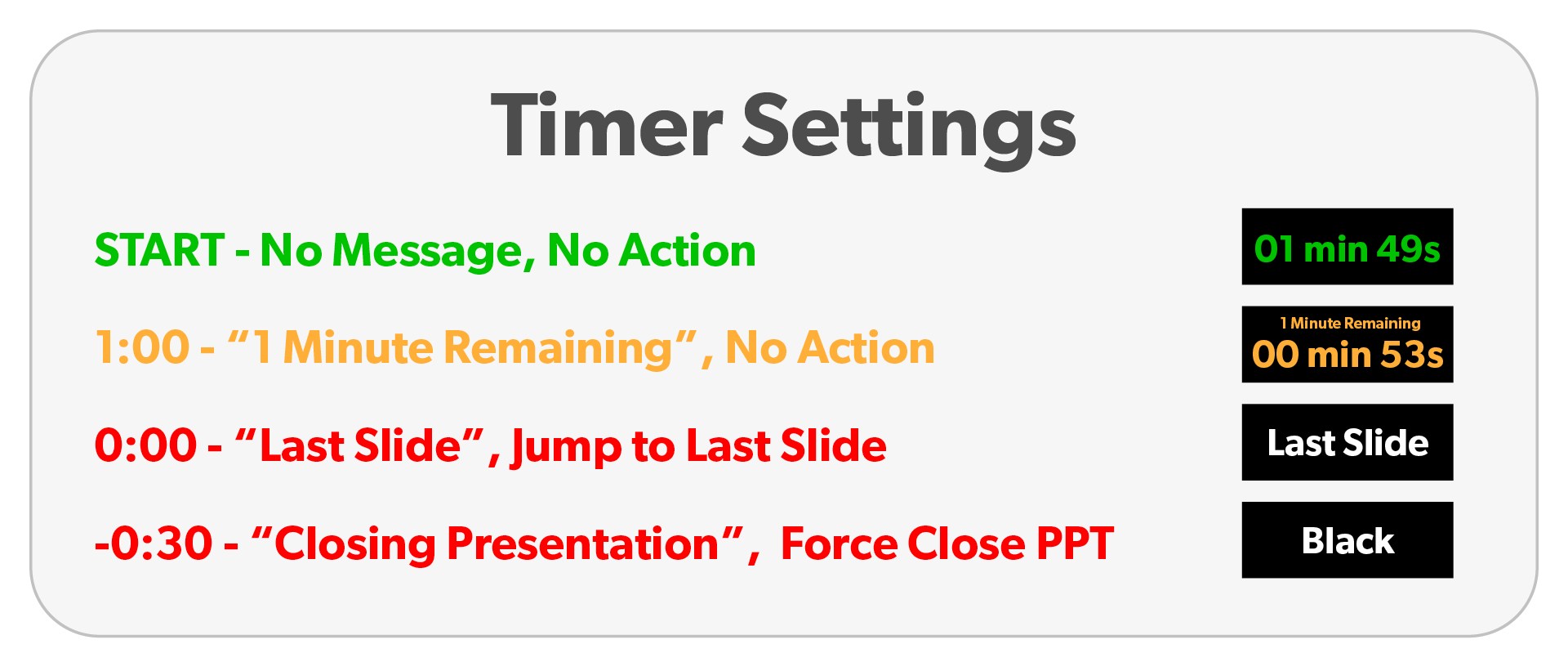
Presentation Timer
- The presentation management system will have an automated countdown clock per the time allotted in the agenda. The system is set-up to ensure presentations keep to time and presentations that go over time will be cut-off.